Change Shipping Address After Order on Shopify (Customer Self-Service)
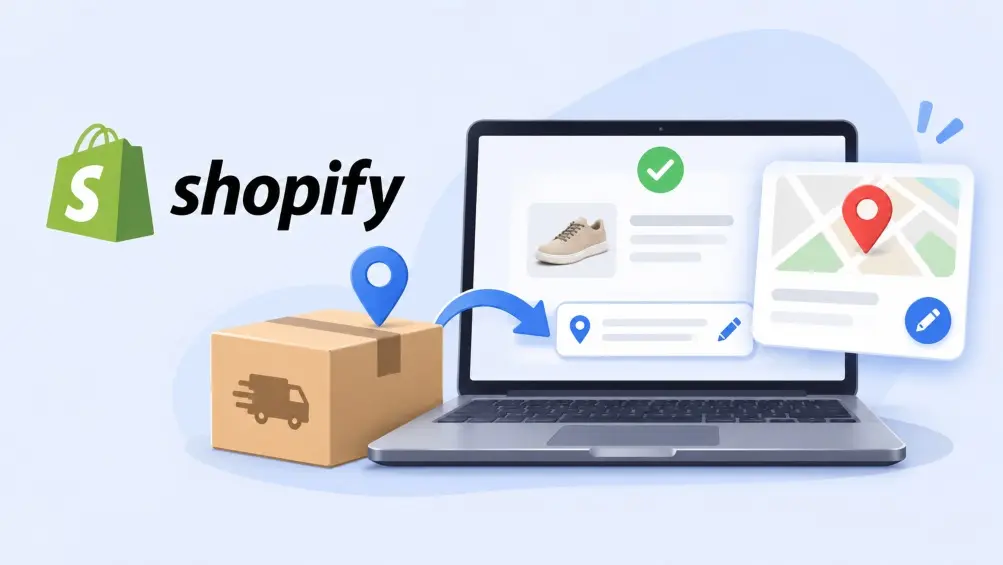
A customer messages you an hour after checkout: "I put the wrong flat number." Some stores fix it by hand. Others lose the order to a failed delivery. This guide shows you how to change a shipping address after an order on Shopify, when it is possible, and how to let customers do it themselves.
By Codify Infotech
Shopify Expert
Published: November 26, 2026
8 min read
By Codify Infotech
Shopify Expert
Published: November 26, 20268 min read
Introduction:
Wrong addresses are one of the most common reasons an order never reaches the customer. A missing flat number, an old phone number, or a typo in the pincode can turn a happy sale into a return.
The good news is that you can usually fix the address before the parcel leaves your warehouse. Here is how, step by step.
Published: November 26, 2026
This guide covers two ways to change an address: you do it yourself in the Shopify admin, or your customer does it with a self-service option. Both work, but only before the order is fulfilled.
A common support message
Here is what a typical request looks like, and what a good reply does.
CustomerI just ordered. I typed the wrong flat number. Can you change it before it ships?
Your storeYes, thanks for telling us quickly. We can update it as long as the order has not shipped. Please send the correct address, and we will confirm the new total before we save it.
That reply works only if the order is still unfulfilled. The timeline below shows when a change is possible.
When you can change the address
Paid, not fulfilledUsually editable in admin, or by the customer if you allow it
Being packedAct fast. Tell the warehouse before the label is printed
Label printed or shippedCall the courier and ask about redirecting the parcel
Delivered or returnedAddress changes no longer apply. Handle it as a return or reship
Two ways to change the address
Option 1 · You do it
Edit in Shopify admin
Good for a small number of orders, or when the customer messages you directly.
Open the unfulfilled order in your admin
Edit the shipping address and save
Check the new total and delivery option
Send a short confirmation to the customer
Option 2 · They do it
Let customers update it themselves
Good for stores with steady order volume. Customers fix mistakes in seconds, and your team spends less time on support.
Customers edit from the order status page
You set a time limit for edits
You choose which address fields can change
Orders you exclude stay locked
Set up customer self-service in six steps
If you want customers to fix their own address, follow this order. The exact screens depend on your app version, so check the app settings as you go.
1
Install an order editing app
Use an app that supports post-purchase address changes, such as Codify Order Edit. Start with the free trial to test it on your store.
2
Choose which fields customers can change
Allow the full address, or only the flat number, landmark, and phone. Limiting fields reduces accidental changes to the country or zone.
3
Set a time limit
Most stores allow edits for a short window after purchase. Pick a time that matches your packing schedule, so you never change an order that is already packed.
4
Exclude risky or custom orders
Lock orders with pre-orders, custom items, or large bulk orders where a change would cause problems.
5
Show the option clearly
Put the edit link in the order confirmation email and on the order status page. If customers cannot find it, they will message you instead.
6
Check the first few changes
Review the first ten or so edits. Look for shipping rate changes, zone mismatches, or orders that were changed after packing.
Rules to set before you go live
Rule
Why it matters
Suggested setting
Time limit
Stops changes after packing starts
A few hours or until packing begins
Editable fields
Prevents accidental zone changes
Flat, landmark, phone, and address line
Excluded products
Protects custom or pre-order items
Mark them and lock them from edits
Shipping check
Avoids surprise cost differences
Show the new total before saving
Watch out for zone changes. If a customer moves their order to another city or state, the shipping rate may change. Decide in advance whether you absorb the difference, charge it, or block the change. Make the rule clear on your shipping policy page.
Prevent wrong addresses in the first place
Changing an address after checkout is useful, but it is better to avoid the mistake. Three small checks at checkout cut most errors:
Require a phone number, so the courier can reach the customer
Check that the pincode matches the city and state
Ask for a landmark, with a short example in the field
Our RTO reduction guide covers these checks, plus what to do when a delivery still fails.
What to tell the customer
Send a short confirmation after every change. Include the new address, the order number, and an expected delivery window. Customers who get a confirmation are far less likely to contact you again, and they can spot a mistake before it costs you a delivery.
Let customers fix their address in seconds
Codify Order Edit lets customers update the shipping address and items after checkout, with time limits and product rules you control.
Yes, as long as the order has not been fulfilled. You can edit it in the Shopify admin, or let customers do it with an order editing app that has time limits.
You usually cannot change the address in Shopify at that point. Contact the courier with the tracking number and ask whether they can redirect the parcel. It may cost extra or may not be possible.
Not by default. A self-service option needs an app or custom setup. Codify Order Edit lets customers update the shipping address before fulfillment, within a time limit you set.
It can, if the new address falls in a different shipping zone. Check the new total before you confirm, and decide in advance how to handle any difference.
Require a phone number, check the pincode against the city and state, ask for a landmark, and let customers fix the address before the parcel ships.
Yes. Send a short confirmation with the new address and the expected delivery window. It builds trust and gives the customer a chance to spot a mistake.
No. A good edit keeps the same order number, so payment, records, and tracking stay linked. A new order can cause duplicate payments and confusion.
Most stores can set this up with an app in under an hour using this guide. Get help if your shipping rules are complex, you sell in several markets, or you use a custom checkout.