Shopify UPI Discount: How to Offer Prepaid Savings to Indian Customers

Many Indian shoppers still pick cash on delivery, and that often means failed deliveries, returns, and lost margin. A UPI discount gives them a simple reason to pay online. In this guide, we explain how to set up a Shopify UPI discount, how much to offer, and how to avoid the problems most store owners run into.

Shopify UPI discount for prepaid savings in India

Introduction:

If you sell on Shopify in India, you already know the COD problem. The order looks good on paper, then the courier calls, the customer is not home, and the parcel comes back. You pay for shipping twice and get nothing.

A UPI discount is a simple fix. You give customers a small saving when they pay online with UPI, and most of them take it. It costs less than a failed delivery, and it helps you get paid faster.

Published: November 26, 2026

This guide is for store owners who want a clear plan. You do not need to be a developer, and we keep the steps short so you can follow them on your own store today.

Why a UPI discount works

UPI is quick, familiar, and already on most phones. When the customer sees a saving right in the cart, paying online stops feeling like extra work. The discount does three jobs at once:

  • It moves customers from COD to online payment.
  • It cuts the cost of failed deliveries and returns.
  • It gets your money into your account before the parcel leaves.

A quick rupee example

Say a customer adds a ₹1,500 kurta set to the cart. You offer 5 percent off for UPI. Here is what that looks like:

₹1,500 order with a 5% UPI discount

Order total₹1,500
UPI saving (5%)−₹75
Customer pays₹1,425

You give up ₹75, but the order is paid in advance. One failed COD delivery costs you shipping both ways, packaging, and time, so a ₹75 saving is often the cheaper choice.

Set it up in six steps

The exact screens depend on your app and gateway, but the order of work is the same.

Step 1

Enable UPI at checkout

Make sure UPI is active through a payment gateway that works with Shopify in India. Place a test order to confirm UPI appears at checkout.

Step 2

Install a discount app

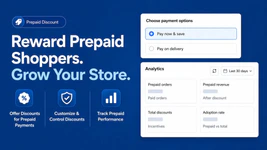
Use an app built for prepaid discounts. Our Codify Prepaid Plus app is designed for this, and you can review its setup in the Shopify App Store.

Step 3

Choose the discount type

Pick a fixed amount, like ₹100, or a percentage, like 5 percent. Fixed amounts work well on higher-priced items.

Step 4

Set a minimum order

Only apply the discount above an order value, such as ₹500. This keeps small orders from losing money.

Step 5

Set a maximum cap

Cap the saving, for example at ₹200, so large orders do not cost you too much.

Step 6

Show it in the cart

Display the saving in the cart before checkout. Customers are far more likely to choose UPI when they see the number first.

Discount options compared

There is no single right answer. Use this table to pick a starting point, then test one change at a time.

Option Example Best for
Fixed amount₹100 off UPI orders above ₹800Higher-priced products, clear and easy to understand
Percentage3% to 5% off UPI ordersMixed cart values, scales with order size
Percentage with cap5% off, up to ₹200Stores that want to protect margin on big orders
Minimum order ruleOnly for orders above ₹500Stores with many small orders
Note on pricing: the discount only helps if your product margins can absorb it. Work out the saving for your typical order before you choose an amount.

Do this, not that

Do

  • Show the saving in the cart
  • Use a cap and a minimum order value
  • Test with a real small order first
  • Track prepaid share each week

Do not

  • Give the discount on COD orders
  • Offer a discount that costs more than a COD return
  • Launch without testing it at checkout
  • Change the amount every few days

Common problems and fixes

  • The discount does not show in the cartCheck that the app is active and that the cart meets the minimum order rule. Clear your browser cache and test in a private window.
  • The discount shows, but the order total is wrongPlace a test order and compare the cart total, the checkout total, and the order total. If they differ, check whether another discount or app is also changing the price.
  • Customers use a code and the UPI discount togetherDecide whether discounts should stack. Set that rule in your discount app, and test it before you launch.
  • COD orders still get the discountCheck that the discount applies only to the UPI payment method. Test with a COD order.
  • Prepaid share does not changeCompare two to three weeks of data. Check the saving amount, the cart page placement, and whether the UPI option is clear at checkout.

Want UPI discounts without custom code?

Codify Prepaid Plus lets you set percentage or fixed discounts, minimum orders, caps, and payment method rules. Start with the free trial.

Install on Shopify

A UPI discount works best alongside the rest of your COD and checkout setup. These guides cover the next steps:

Pro Tips

  • Start with a 3 to 5 percent saving and a minimum order value
  • Show the saving in rupees, not only as a percentage
  • Review prepaid share every week for the first month
  • Keep COD available, but make the UPI saving easy to see

FAQ

Yes. Show the saving in the cart so customers see it before checkout. You need UPI enabled through a payment gateway that works with Shopify in India, plus an app or setup that applies the discount to UPI.
A common starting point is 3 to 5 percent, or a fixed amount on higher-value orders. Compare it with what you save on COD returns and failed deliveries, and set a cap.
It can. When the saving is visible in the cart, some customers switch from COD to UPI. Track prepaid and COD share before and after launch to see the effect for your store.
A UPI discount is one type of prepaid discount. A prepaid discount can cover all online payments, such as cards and net banking. You can offer both, with different amounts.
It should not. The discount should apply only when the customer pays with UPI. Test a COD order to confirm the discount is removed.
It depends on your app and Shopify discount settings. Test a code and the UPI discount on a real order, then decide whether they should stack.
The discount reduces the taxable value, so the invoice should show the discounted amount. Confirm the invoice format with your accountant or tax advisor.
Most stores can set up a UPI discount with an app using this guide. Get help if your gateway setup is custom, you sell in several markets, or the discount does not apply correctly at checkout.

Ready to Build or Improve Your Shopify Store?

Work with expert Shopify developers to grow your eCommerce business faster