How to Reduce RTO and COD Returns on Shopify (Step-by-Step)
Every failed COD delivery costs you money twice: once to ship the order out, and again to bring it back. This guide shows you how to lower RTO and COD returns on Shopify, one step at a time, using simple tools you can start this week.
By Codify Infotech
Shopify Expert
Published: November 26, 2026
12 min read
By Codify Infotech
Shopify Expert
Published: November 26, 202612 min read
Introduction:
You get an order, you pack it, you ship it. Two days later the courier says the customer was not available, then the parcel comes back. Now you have paid for two shipments, lost the sale, and may have to re-pack the item.
This is RTO, and it is one of the biggest hidden costs for Shopify stores that sell cash on delivery. The good news is that most RTO comes from a few fixable causes. Let's go through them in order.
Published: November 26, 2026
This guide is for store owners, not developers. Each step can be done in your Shopify admin, your courier dashboard, or with a simple app.
What RTO really costs you
Most store owners only see the shipping invoice. The real cost is bigger. Here is a simple example. Replace the numbers with your own courier invoice before you decide anything.
Example: 200 COD orders a month
Assumes a 25 percent RTO rate and ₹200 total loss per returned order, for shipping in both directions and handling. Use your own figures.
RTO orders50
Estimated monthly loss₹10,000
Cut RTO to 15%30 orders
Lowering RTO from 25 percent to 15 percent saves 20 failed orders a month in this example, which is about ₹4,000 kept in your pocket, plus the sales you would otherwise lose.
Where RTO usually comes from
Most failed deliveries fall into one of these groups. Check your last 30 days of RTO and see which group is biggest for you.
Wrong or incomplete addressMissing landmark, wrong pincode, or no phone number.
Customer changed their mindThey ordered on impulse, or were not sure they wanted COD.
Not reachable on delivery dayWrong phone number, or the courier could not reach them.
Fake or test ordersRepeat customers who never plan to accept delivery.
Slow courier in that pincodeLong delivery times make customers cancel or refuse the parcel.
No updates after orderingNo tracking message, so the customer forgets the order.
The step-by-step plan
Work through these steps in order. Most stores see the biggest change from steps 2, 3, and 5.
1
Measure first
Split your RTO by reason, pincode, and courier
Export your last 30 to 60 days of orders. Group the failed ones by payment type, pincode, courier, and the reason the courier gave.
Which pincodes have the most RTO?
Which courier performs best in your top cities?
What is the most common reason on the courier report?
2
Confirm orders
Confirm COD orders before you ship
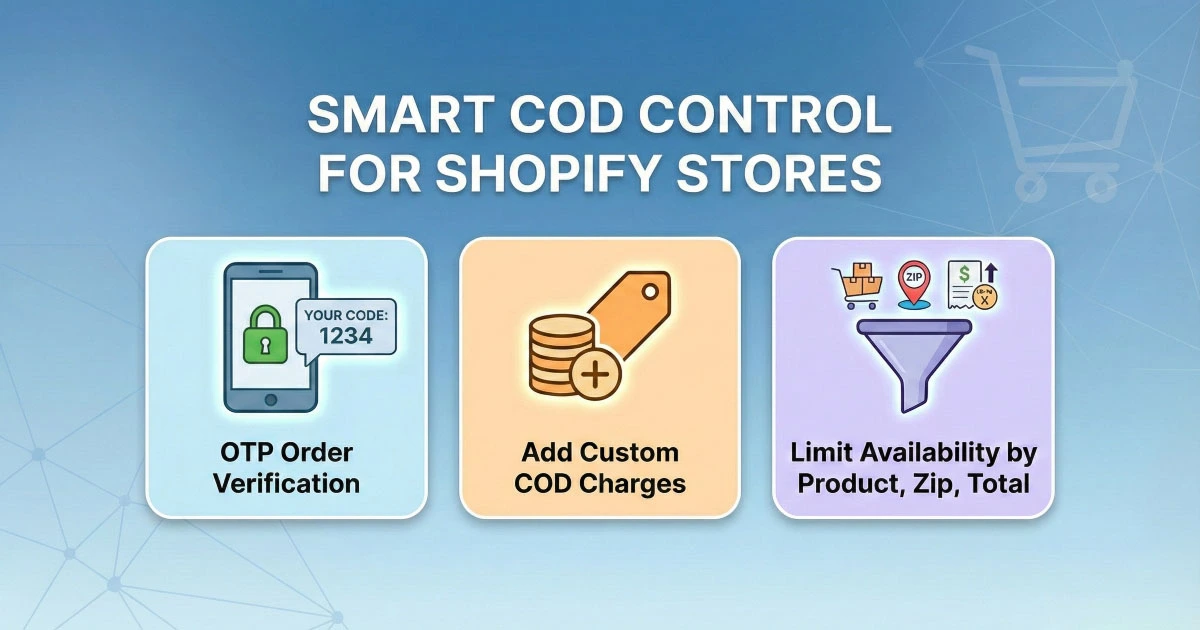
A short confirmation step catches many fake and impulse orders before you pay for shipping. Use one of these:
OTP sent to the phone number at checkout
A WhatsApp or SMS confirmation the customer replies to
A quick call for orders above your high-value limit
3
Clean addresses
Make the address form harder to get wrong
Most address errors can be prevented at checkout.
Make the phone number required, and check it has 10 digits
Check that the pincode matches the city and state
Ask for a landmark, with a short example
Add an alternate phone number field for delivery day
4
Set COD rules
Limit COD where it causes the most damage
You do not need to remove COD completely. Use rules that match the risk:
Offer COD only in pincodes where it performs well
Add a COD fee on low-value orders, or on pincodes with high RTO
Require prepaid for very high-value orders, or first-time orders above a set amount
5
Push prepaid
Give a clear reason to pay online
When customers see a saving in the cart, many switch from COD to online payment. A UPI or prepaid discount works well here, and it makes the order paid before it ships. Read our UPI discount guide for setup steps, and our prepaid discount article for the broader strategy.
6
Choose couriers
Match each pincode with the courier that delivers well there
Do not rely on one courier for the whole country. Compare delivery success rates by pincode, and assign the best courier to each high-volume area. Ask your courier for their delivery attempt policy in writing.
7
Handle failures fast
Act on every non-delivery report within 24 hours
A failed delivery is often fixable if you move quickly. Use the process below for each NDR, and see the box after this list.
8
Keep customers informed
Send tracking and delivery-day reminders
Send a message when the order ships, and another the morning of delivery with the courier's name and phone number. Customers who know the parcel is coming are far less likely to miss it.
9
Reduce refusals
Make the product page match the parcel
Many refused parcels are "not what I expected" returns. Use accurate photos, size charts, and clear descriptions so customers know exactly what they are paying for.
10
Review weekly
Track the numbers every week
Look at RTO rate by pincode, courier, and payment type. Change one thing at a time, and compare the next two to three weeks before deciding if it worked.
What to do with an NDR, step by step
Read the reason. Address issue, customer not available, or refused? Each needs a different action.
Contact the customer within 24 hours. Use WhatsApp or a call, and confirm the address and a delivery time that suits them.
Update the address if needed, then request a re-attempt through your courier's dashboard.
Log the outcome. Note whether the order was delivered, returned, or cancelled. Patterns show up quickly in this log.
Be fair with blocking. Flagging repeat failed orders for manual review is useful. Blocking customers without a clear rule, or sharing their personal data, can cause problems. Keep your rules written down and follow the privacy rules that apply to your business.
Quick reference: causes and fixes
Cause
Fix
Step
Wrong address
Pincode check, landmark field, required phone
3
Impulse or fake order
OTP or WhatsApp confirmation
2
Risky pincode
COD rules by pincode, courier change
4, 6
Customer unavailable
Delivery-day reminder, alternate phone
3, 8
Refused parcel
Accurate product page, size chart
9
Slow failed-delivery recovery
24-hour NDR process
7
Related guides on our blog
These guides cover the rest of your COD, checkout, and order setup:
Start with the confirmation step. It is the fastest win.
Review your top five RTO pincodes every week
Compare courier results before you switch couriers
Keep the NDR log in a simple sheet your team can update
FAQ
RTO means return to origin. The courier could not deliver, so the parcel returns to your warehouse. You pay for both the outbound and return shipping, and you may lose the sale.
It depends on your category, pincodes, and courier. Track COD and prepaid RTO separately each month, and aim to lower your own number steadily.
Use a short step after checkout, such as an OTP to the phone number, a WhatsApp confirmation, or a call for high-value orders. Ship only after the customer confirms.
Usually not. Many customers prefer COD. Limit it for risky pincodes or very high-value orders, add a fee where it makes sense, and push prepaid with a clear saving.
An NDR, or non-delivery report, is the courier's update when delivery fails. Contact the customer within 24 hours, confirm the address, and request a re-attempt if your courier allows it.
Yes. Require a phone number, check the pincode against the city and state, ask for a landmark, and show a short example. Clean address data prevents many failed deliveries.
You can flag repeat failed orders for manual review. Use blocking rules carefully, write them down, keep them fair, and follow the privacy rules that apply to your business.
Get help if your RTO is very high, you use several couriers, or your checkout needs custom rules by pincode or order value. Many basic steps in this guide can be started this week.