Create strong, random, secure passwords instantly — with a live strength meter
Generate cryptographically secure passwords with custom length, uppercase, lowercase, numbers, and symbols. Exclude ambiguous characters, generate in bulk, and copy with one click. Nothing is stored — everything runs in your browser.
100% free
Nothing stored
No sign-up required
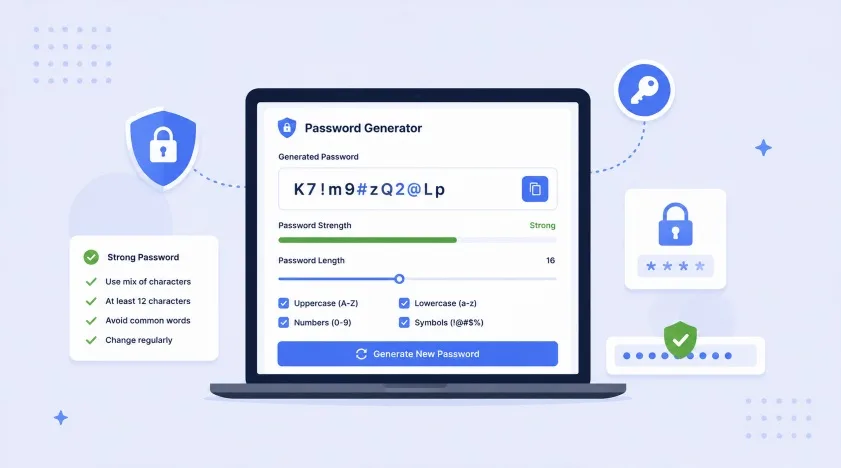
Credential stuffing and brute-force attacks target weak, reused passwords first
Data breaches expose billions of password/email combinations every year, and attackers use automated tools to try those same credentials across other sites — a technique called credential stuffing. A strong, unique, randomly generated password for every account is still the single most effective defense against account takeover, alongside two-factor authentication.
This tool uses your browser's built-in crypto.getRandomValues() API — a cryptographically secure random number generator, the same class of randomness used by password managers and operating systems for generating encryption keys. Nothing is transmitted or logged; the password never leaves your device.
Estimated brute-force time assuming mixed-case letters, numbers & symbols (100 billion guesses/sec)
| Length | Character Set | Estimated Crack Time | Recommended Use |
|---|---|---|---|
| 8 | Mixed | Minutes to hours | Avoid — too weak |
| 10 | Mixed | Several days | Low-value accounts only |
| 12 | Mixed | ~200 years | Minimum for most accounts |
| 16 | Mixed | Trillions of years | Recommended standard |
| 20+ | Mixed | Effectively uncrackable | Banking, email, password managers |
Use a unique password for every account. If one site is breached, reused passwords let attackers access all your other accounts through credential stuffing. A password manager makes unique passwords practical to use everywhere.
A longer password is exponentially harder to crack than a shorter one with more symbol requirements. Aim for 16+ characters — length matters more than forcing obscure special characters.
Two-factor authentication stops most account takeovers even if your password is compromised. Use an authenticator app rather than SMS where possible, since SMS can be intercepted via SIM swapping.
Storing generated passwords in your browser or on paper is risky. A password manager (Bitwarden, 1Password) securely stores and auto-fills unique passwords for every site.
Never use names, birthdates, or dictionary words — these are the first patterns attackers try. Randomly generated passwords eliminate this weakness entirely.
If a service you use reports a breach, change that password immediately — and any other account where you reused it. Services like Have I Been Pwned can alert you to exposures.
Codify Infotech builds custom Shopify apps with secure authentication, customer accounts, and access control
Create custom QR codes for URLs, WiFi, vCards, email & more with logo support.
👉 Generate QR Code NowCreate professional invoices with logo, tax, discount, and instant PDF download.
👉 Generate Invoice NowReal Google PageSpeed scores, Core Web Vitals & Shopify-specific fix recommendations.
👉 Test Speed NowWork with expert Shopify developers to grow your eCommerce business faster