Create custom QR codes for URLs, WiFi, vCards, email & more — with your own colors and logo
Generate high-resolution QR codes instantly for websites, text, email, phone, SMS, WiFi networks, and contact cards. Customize colors, add your logo, and download as PNG or SVG. Codes never expire — no signup, no tracking, no limits.
100% free
Codes never expire
No sign-up required
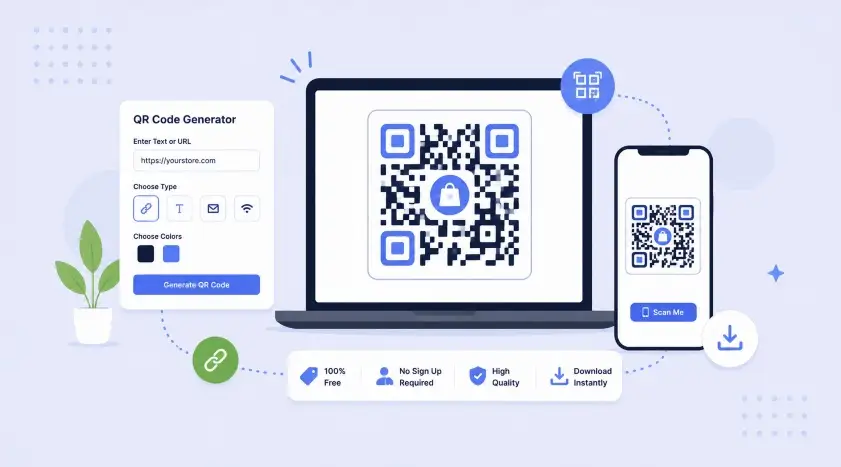
QR codes bridge print and digital — packaging, receipts, storefronts, and business cards all lead straight to a link
QR codes remain one of the highest-ROI tools for connecting offline touchpoints to online destinations — product packaging linking to reviews, storefront signage linking to your Shopify store, or a business card linking to a vCard contact save. Unlike many "free" generators online, this tool creates static QR codes: the data is embedded directly in the code itself, so it works forever with no tracking server, no expiry, and no hidden subscription.
Every QR code is generated client-side in your browser using JavaScript — nothing is uploaded to any server, which means your WiFi passwords, contact details, and URLs stay completely private.
Pick the right type for your use case
| Type | Best For | What Happens on Scan |
|---|---|---|
| URL | Product pages, social profiles, menus | Opens the link in the browser |
| Text | Instructions, serial numbers, notes | Displays plain text |
| Support contact, inquiries | Opens email app with prefilled address/subject | |
| Phone | Click-to-call on flyers, ads | Opens dialer with number prefilled |
| SMS | Quick text-in campaigns | Opens messaging app with number & text prefilled |
| WiFi | Offices, cafes, guest networks | Auto-connects device to WiFi — no typing password |
| vCard | Business cards, email signatures | Saves contact directly to phone address book |
Print QR codes at least 2×2 cm (0.8×0.8 inch) for close-range scanning like business cards, and at least 5×5 cm for posters scanned from 1–2 meters away. Larger codes with more data need more physical size to remain scannable.
Dark foreground on a light background scans most reliably. Avoid low-contrast color combinations — scanners rely on clear contrast between the QR pattern and its background to read correctly.
When adding a logo, keep it under 20–25% of the total QR code area and always use High error correction. This ensures the code remains scannable even with the center partially covered.
Scan your QR code with 2–3 different phones and camera apps before sending it to print in bulk. This catches sizing, contrast, or logo-coverage issues before they become an expensive reprint.
Keep a blank margin (roughly the width of one QR module) around the code. Scanners use this "quiet zone" to detect where the code starts and ends — cropping too tightly can cause scan failures.
For anything printed permanently (packaging, signage), use static QR codes like this tool generates rather than dynamic/tracked codes tied to a third-party service that could shut down and break your code.
Codify Infotech builds custom Shopify apps and features — including dynamic QR generation for products, packaging, and receipts
Create professional invoices with logo, tax, discount, and instant PDF download.
👉 Generate Invoice NowReal Google PageSpeed scores, Core Web Vitals & Shopify-specific fix recommendations.
👉 Test Speed NowConvert titles into clean, SEO-friendly URL slugs instantly.
👉 Generate Slug NowWork with expert Shopify developers to grow your eCommerce business faster