Free Favicon Generator

Turn any image into a complete favicon package — ICO, PNG, Apple & Android icons

Upload one image and get every favicon size your site needs: browser tab icons, Apple Touch Icon, Android Chrome/PWA icons, and a ready-to-paste HTML snippet. All generated instantly in your browser.

100% free

All sizes in 1 click

No sign-up required
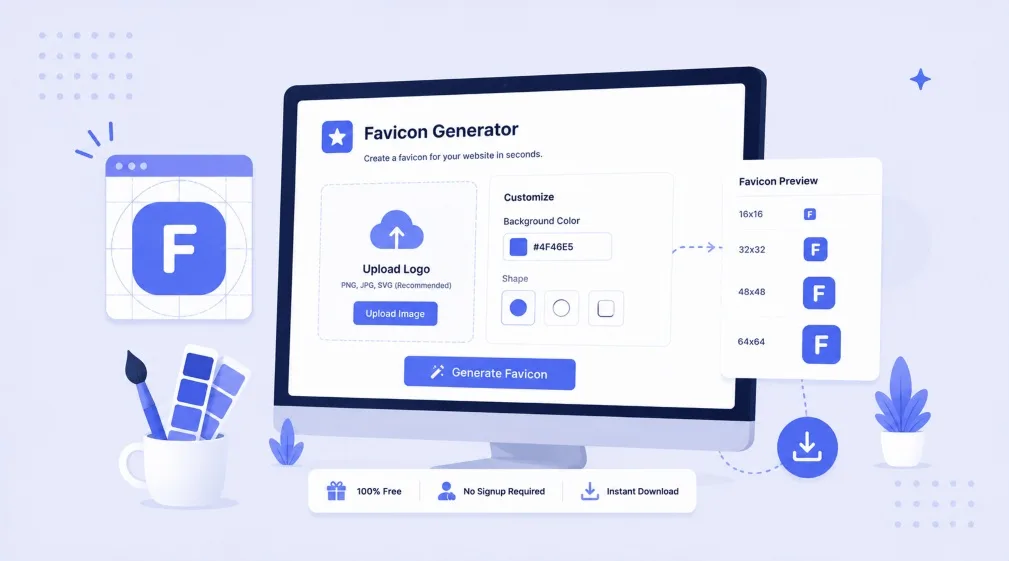
Free Favicon Generator — Image to ICO/PNG
🖼️

Click to upload or drag an image here
PNG, JPG, WebP — square image 512×512+ recommended


Why Every Website Needs a Complete Favicon Set

A single favicon.ico is no longer enough for modern browsers and devices

The favicon is the small icon shown in browser tabs, bookmarks, and search results next to your site's title — often the first brand impression a visitor gets. But a single low-resolution icon looks blurry on high-DPI screens, gets stretched incorrectly on iOS home screens, and fails Android/PWA install requirements entirely. A complete favicon package with properly sized PNG, ICO, and touch-icon variants ensures your brand looks sharp and professional across every browser, device, and operating system.

This generator processes your image entirely in the browser using the HTML5 Canvas API — nothing is uploaded to a server, so your image stays private and results are instant.

Favicon Sizes & Where They're Used

FileSizeUsed By
favicon-16x16.png16×16Browser tab (standard DPI)
favicon-32x32.png32×32Browser tab (high DPI), taskbar
favicon-48x48.png48×48Windows site shortcuts
favicon-64x64.png64×64Desktop shortcuts, larger displays
favicon.icoMulti-sizeLegacy browser fallback (IE, old Safari)
apple-touch-icon.png180×180iOS "Add to Home Screen"
android-chrome-192x192.png192×192Android home screen, PWA manifest
android-chrome-512x512.png512×512PWA splash screen, app install prompt

Favicon Best Practices

🖼️ Start With a Square Image

Use a 512×512px (or larger) square source image. Non-square images get cropped to the center, which can cut off important logo details.

🎯 Keep It Simple

Favicons render at tiny sizes — complex logos with fine text or detail become an unreadable blur at 16×16px. Use a simplified icon-only version of your logo, not the full wordmark.

🎨 Match Your Brand Color

Use a transparent background for flexibility across light/dark browser themes, or your brand color if the icon needs contrast to stand out against both.

📌 Place Files at Root

Browsers automatically check /favicon.ico at your domain root. Always also add explicit <link> tags in <head> for full cross-browser and cross-device support.

📱 Don't Skip PWA Icons

If your site can be installed as a Progressive Web App or added to a phone's home screen, the 192×192 and 512×512 icons are required for a proper install prompt and splash screen.

🛍️ Shopify Store Owners

Upload favicon files to your theme's Assets folder and reference them with the asset_url filter in theme.liquid — most themes already support this via Theme Settings > Favicon.

Need Your Shopify Store's Branding Set Up Right?

Codify Infotech handles complete Shopify theme setup — favicons, meta tags, structured data, and performance

Get Free Consultation Shopify Theme Development

Frequently Asked Questions

Yes. Codify Infotech's Favicon Generator is 100% free with no signup, no watermark, and unlimited use.
You can upload PNG, JPG, or WebP images. For best results, use a square image at least 512×512 pixels — the tool automatically crops and resizes it into every favicon size needed.
The generated package includes 16×16, 32×32, 48×48, and 64×64 PNG favicons, a multi-resolution favicon.ico file, a 180×180 Apple Touch Icon, and 192×192 and 512×512 Android Chrome icons for PWA support.
Different browsers, devices, and operating systems request different icon sizes — a browser tab uses a small 16×16 or 32×32 icon, while iOS home screen bookmarks use 180×180, and Android/PWA installs use 192×192 or 512×512. Providing all sizes ensures your icon looks sharp everywhere instead of being stretched or blurred.
Upload the downloaded files to your website's root or /img/ folder, then paste the HTML code snippet this tool generates into the <head> section of your site. For Shopify, upload the files as theme assets and add the same link tags to theme.liquid.
No. The image is processed entirely in your browser using the Canvas API. It is never uploaded to or stored on our servers.

Our Other Free Tools

Free Percentage Calculator

Free Percentage Calculator

6-in-1 percentage calculator — increase, decrease, reverse % and more.

👉 Calculate Now
Free QR Code Generator

Free QR Code Generator

Create custom QR codes for URLs, WiFi, vCards, email & more.

👉 Generate QR Code Now
Free Password Generator

Free Password Generator

Generate strong, secure, random passwords with a live strength meter.

👉 Generate Password Now

Ready to Build or Improve Your Shopify Store?

Work with expert Shopify developers to grow your eCommerce business faster