How to Replace Heavy Shopify Apps with Native Liquid Custom Code

Stop paying recurring subscription fees for bloated plugins that cripple your storefront speed. Discover how custom Liquid development streamlines your backend, passes Google’s Core Web Vitals, and protects your conversion margins.

How to Replace Heavy Shopify Apps with Native Liquid Custom Code

Quick Summary

Can you replace Shopify apps with custom code? Yes. Front-end tools like countdown timers, size charts, dynamic announcement bars, and simple cart cross-sells can be coded directly into your theme using native Shopify Liquid and lightweight JavaScript. Replacing these apps removes render-blocking scripts, improves your Core Web Vitals, and eliminates recurring monthly SaaS fees.

The Hidden Cost of the "There's an App for That" Mindset

When scaling a direct-to-consumer (DTC) brand, agility is everything. When a marketing team wants to test a tiered discount structure, a sticky add-to-cart button, or an interactive FAQ accordion, the immediate instinct is to visit the Shopify App Store. It takes two clicks to install a turnkey solution, making it look like a victory for operational speed.

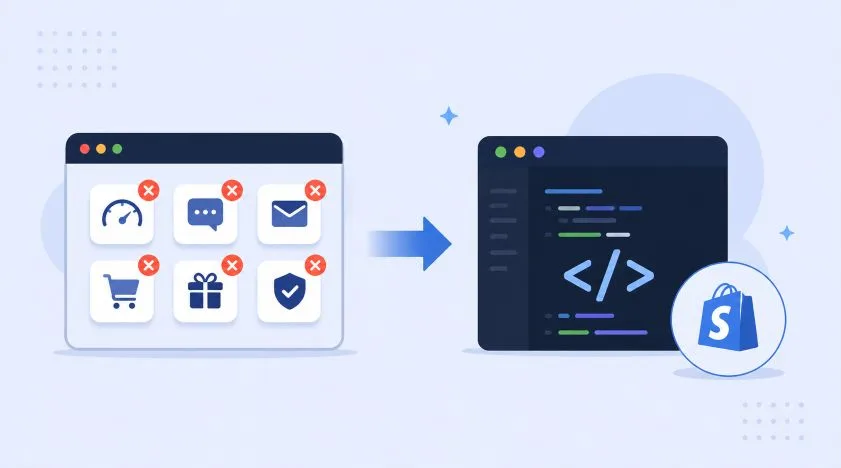
However, every application added to a digital storefront introduces a technical compromise. Turnkey applications rely heavily on injecting remote JavaScript files into your root theme header. These scripts pull database configurations from external third-party servers on every single page load. The result is a sluggish shopping experience that frustrates users and dampens your core marketing performance. If your storefront takes more than 2.5 seconds to load, you are directly paying an "app tax" through lower conversion rates and inefficient ad spending.

The alternative is utilizing native template capabilities. By utilizing clean template adjustments, you can achieve the exact same marketing functionality directly on Shopify’s global servers without introducing render-blocking script dependencies.

Why App Bloat Destroys Storefront Performance

To understand why custom scripts outpace third-party apps, it helps to understand how browsers process web assets. When an application loads via an external script injection, it initiates a chain of events:

  • DNS Lookups & Connection Overhead: The user's device must locate, connect to, and authorize data transfers from the app developer's private servers.
  • Render-Blocking Actions: The browser often pauses rendering visible elements while waiting to download and parse heavy external JavaScript libraries.
  • Cumulative Layout Shift (CLS): Unoptimized apps insert visual elements—like banners or review widgets—seconds after the primary layout loads, causing items to jump and degrading the user experience.

Conversely, native Liquid code processes completely on the server-side before reaching the user's browser. Shopify generates clean HTML instantly, delivering a predictable, secure experience that passes Google's mobile web vital standards with ease.

5 Common Apps You Should Replace with Custom Code Immediately

1. Announcement Bars and Dynamic Marquees

The App Approach: Paying $9–$29 a month for an alert banner app that loads multi-kilobyte JavaScript assets just to cycle through three text messages.

The Custom Code Approach: Building a reusable theme block with native JSON schema configurations in your main header section. Using raw CSS keyframe animations handles smooth text scrolling automatically, placing zero processing burden on the browser's JavaScript engine.

2. Urgency Timers and Countdown Clocks

The App Approach: Loading an external script that flashes unstyled text while calculating time zone differences on an app provider's cloud system.

The Custom Code Approach: Writing a lightweight JavaScript utility (under 1KB) that stores the expiration timestamp directly inside a standard HTML data-attribute. This lets your theme render countdown timers smoothly the millisecond the page becomes active.

3. Dynamic Size Charts and Variant Accordions

The App Approach: An application that intercepts the "Size Guide" click action, firing an asynchronous query to fetch a pop-up template from an external source.

The Custom Code Approach: Creating clean, conditional Liquid logic that checks if a product belongs to a specific collection, then referencing a native Shopify Page or Metafield to display the appropriate sizing table instantly.

4. In-Cart Upsells and Cross-Sells

The App Approach: Utilizing a heavy personalization plugin that scans user data and lazily appends cross-sell items into the cart drawers after a visible delay.

The Custom Code Approach: Utilizing the native Shopify AJAX API alongside the theme's recommendation engines. This enables pre-fetching optimized product pairings in the background, allowing matching items to appear inside your sliding cart drawer with zero lag.

5. Product Labels, Badges, and Trust Seals

The App Approach: Overlaying promotional images onto your product thumbnails using absolute positioning calculations dictated by an external layout app.

The Custom Code Approach: Using simple Liquid tags (`{% if product.tags contains 'Sale' %}`) to check product criteria during page rendering. This applies semantic HTML and styling classes directly inside your loop components, protecting your site from layout shifts.

The App Removal and Refactoring Process

Transitioning to an unbloated storefront requires a methodical process. Simply clicking "Uninstall" in your store dashboard does not guarantee your template files are clean.

  1. Run a Storefront Benchmark: Record your historical performance metrics via Google PageSpeed Insights to establish a clear before-and-after tracking baseline.
  2. Audit Asset Assets: Open your `theme.liquid` file and check your asset directory. Look for leftover script references (`snippet-app.liquid`) left behind by previously uninstalled plugins.
  3. Map Feature Requirements: Clearly outline the specific settings your marketing team uses. Ensure your custom replacement matches these operational workflows within the native Shopify customizer theme panel.
  4. Develop inside a Sandbox Theme: Write and test your custom Liquid, CSS, and JS components within a duplicate, unpublished theme. This guarantees your live transaction flow is never exposed to development bugs.
  5. Deploy and Monitor: Publish your clean theme asset and verify that your checkout funnels, script logic, and cross-device interactions operate cleanly.

Gain Complete Trust and Control Over Your Storefront Code

While building basic custom sections is manageable, refactoring delicate product loops, modifying checkout workflows, and building deep custom integrations requires specialized engineering expertise. Messing with core system code without proper precautions can introduce vulnerabilities that disrupt your checkout flow.

At Codify Infotech, we bring over 8 years of dedicated experience and an established track record of 1,000+ completed projects to give brand operators true peace of mind. We specialize in eliminating platform inefficiencies by substituting heavy applications with high-performance, native Liquid development.

Whether you need a dedicated Shopify Development Company to rebuild an unoptimized template, execute a technical code audit, or build scalable Shopify custom app development integrations that connect smoothly with your ERP infrastructure, our certified team is ready to scale your performance metrics.

FAQ

While exact results vary based on your baseline theme setup, our optimization metrics show that replacing 3 to 5 heavy font-end applications with native Liquid code and optimized JavaScript removes significant render-blocking weight. This adjustment frequently lowers overall page loading times by 1.2 to 2.5 seconds and increases your mobile Google PageSpeed Insights score by 15–30 points instantly.
If you make changes directly to your main theme layout files, future automated theme updates from the developer could overwrite your custom code blocks. To completely prevent this bottleneck, our Shopify Experts structure your custom code inside isolated, modular custom sections and blocks. This keeps your native additions organized safely outside the core code, allowing you to manually pull updates without breaking your layout.
While custom development involves an upfront investment, it offers a substantially higher return on investment over time. Stacking multiple marketing apps creates high, recurring monthly SaaS fees that eat into your profit margins year after year. Transitioning to native code replaces those permanent operational expenses with a one-time investment, giving you complete code ownership and removing ongoing third-party dependencies.

Ready to Build or Improve Your Shopify Store?

Work with expert Shopify developers to grow your eCommerce business faster